User Creation
To create users, you must log in to the tool using administration
After logging in as administrations, you need to go to the "user management" tab, then "user"
When creating a new user, you must enter the correct email address and the user’s role.
Admin - Has administrative authority across the entire company.
Client - Has access only to view the log and execution dashboard. This can be combined with the "virtual location" to restrict access and create a partial view of the environment.
Manager - Has access to the entire software, but cannot handle risks and incidents.
Operator - Has the scope of handling and interacting with incidents and risks, but cannot perform administrative actions within the tool, such as creating branches or inviting other users.
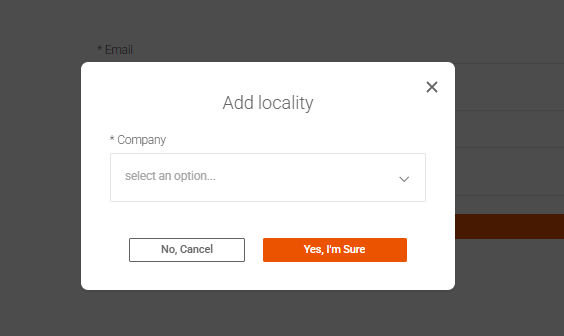
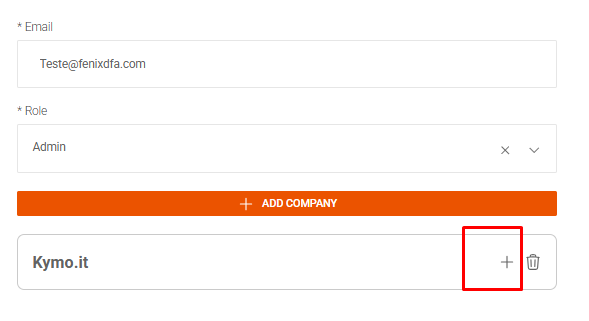
After assigning the user's permission level, select the company and branches they'll have access to. This process is done one by one.
Soon after, the user will receive an email with an invitation to access the tool and login instructions.User will create password on first access.
Related Articles
NetBackup - Create User for Fenix
This tutorial guides you through the process of creating a user in Windows and configuring the necessary permissions in Veritas NetBackup. This will enable API access to collect data using the FenixDFA Agent tool. Step 1: Create a User in Windows ...Azure Backup
Overview This document describes the integration process between FenixDFA and Azure Backup, detailing the required configuration steps and data needed for successful integration. Prerequisites Azure portal access with administrative privileges Active ...Virtual Location
Initially, to create a virtual location, it is necessary to create a user with the “role” of customer It is necessary to determine which branches the user will have access to After creating the user, we must go to the companies > branches > virtual ...Oracle Cloud Integration Guide
Configuration Process 1. OCI Account Configuration Access the OCI Console and verify that you have the required permissions. Identify the tenancy where the resources will be accessed. Confirm that you have access to the region where the resources are ...Access to perform the operation was denied 117
Error Code: 117 Error Message: “Access to perform the operation was denied” Overview This error indicates a permission or authentication issue when attempting to access the Veritas NetBackup API using the fenixdfa user account. Even if you’re using a ...